

A waitlist or register interest feature is now available for sold out events!
Wait List: Perfect for sold out high demand events. If a person that has a ticket drops out to due illness etc and a space becomes available, the organiser can allocate spaces via the waitlist instead of opening the place up to be booked publicly.
Register Interest: Looking to run a specific event but not sure if there are enough people interested for minimum capacity requirements? Register Interest forms are a great way to put the feelers out and not actually issue tickets unless the event is going ahead!
For both options, persons on the list can easily be converted into ticket holders.
Please note the waitlist or register interest will not be automatically enabled. This will need to be configured by the event organiser. This is a specific function, if you do not have access to the feature, please email support@eventmaster.ie to request permission.
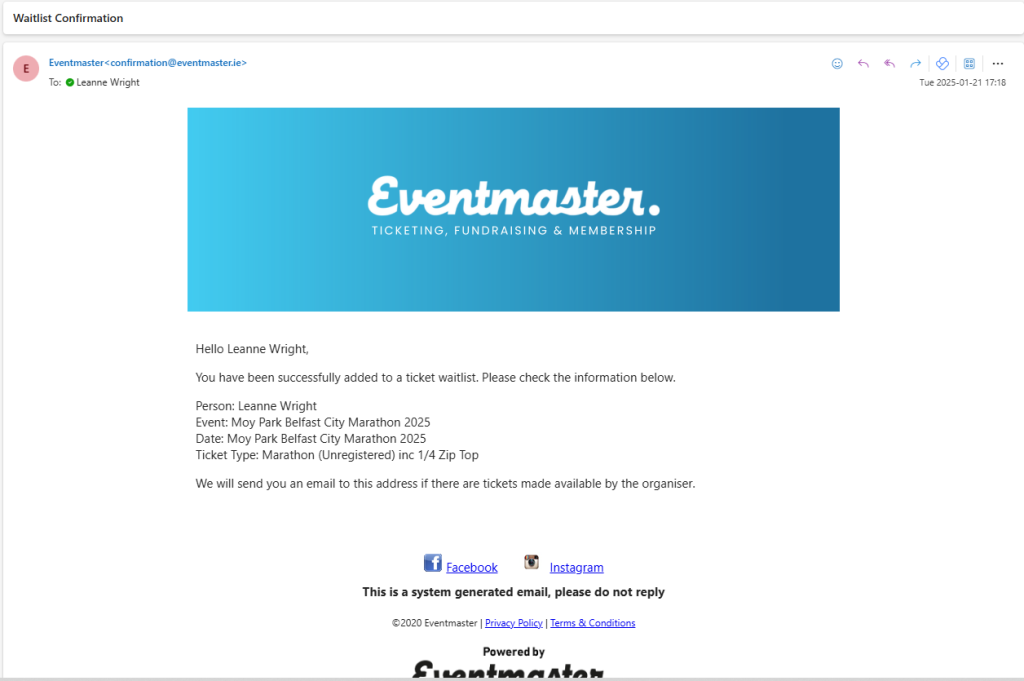
Flow from the the customers perspective:
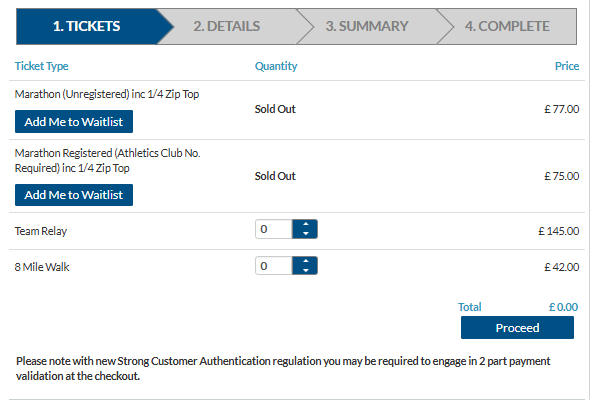
Add me to waitlist or Register interest button will be visible on specified tickets
They will be prompted to enter in their desired quantity, first name, last name and email and contact consent (optional)
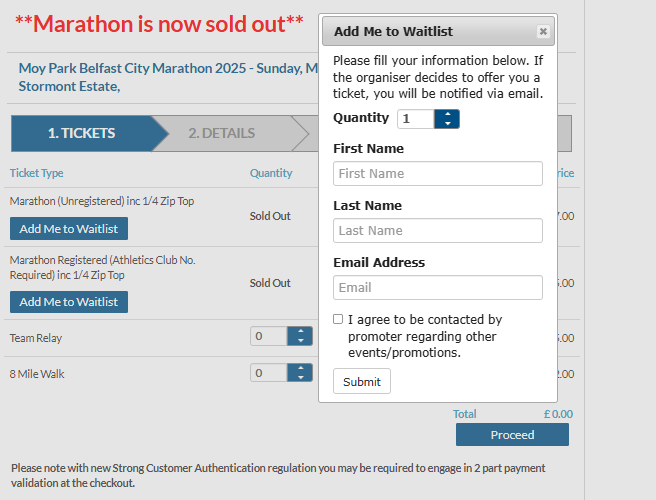
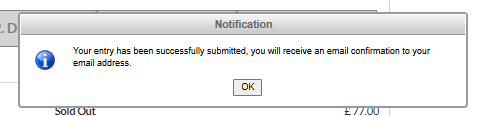
They will be prompted to enter in their desired quantity, first name, last name and email and contact consent (optional)
Enabling and controlling this feature as an event organiser:
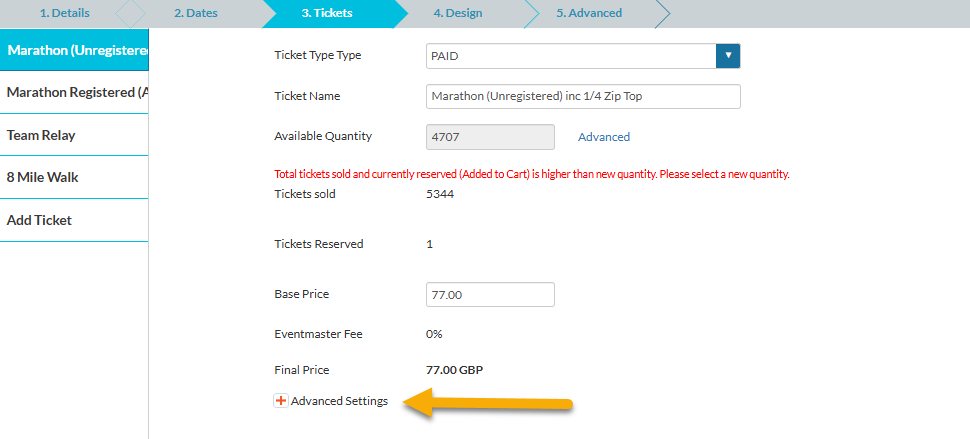
Go to the Tickets tab of the event editor and click on the ticket you would like to enable the waitlist for.
Click on the advanced settings to load additional options
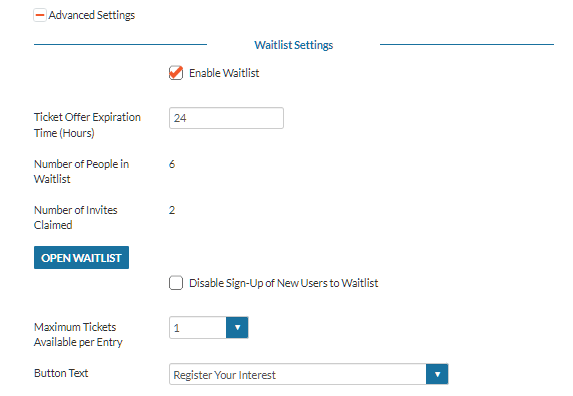
Tick the enable waitlist checkbox.
Ticket Offer Expiration Time (Hours): This controls how long a payment link is active for when a place is offered. Example: Joe Bloggs registers on the waitlist, 2 days later the organiser has offered him a place in the event and he receives an automated registration/payment link via email. This link will expire in 48 hours from the time it is sent.
Maximum Tickets Available per Entry: Controls access to waitlist tickets. Example: I am entering on the waitlist – how many tickets should I be able to reserve?
Button Text: This will be what appears on the button on the ticket, depending on if you would like to operate the function as a waitlist or register interest option.
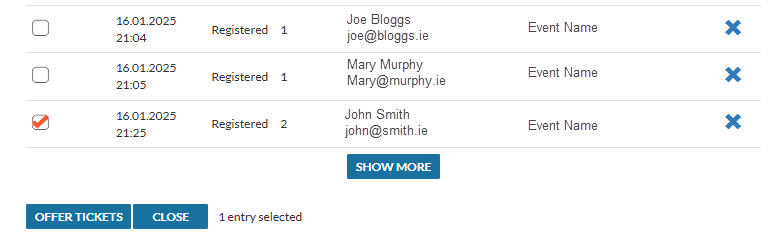
The Open Waitlist button will open up up the list of entries that are on the waitlist and looking for a place in the event. This is where organisers can offer entries and convert people from the waitlist. Simply tick the entry/entries you would like to allow through and click on Offer Tickets.
Each person will receive an automated, individual email to register their full details and pay for the entry. By default, the first name, last name and email of the waitlist person is non-editable when they are registering in the main event so no one else can use the waitlist entry in their place.
Closing off the waitlist/Register Interest:
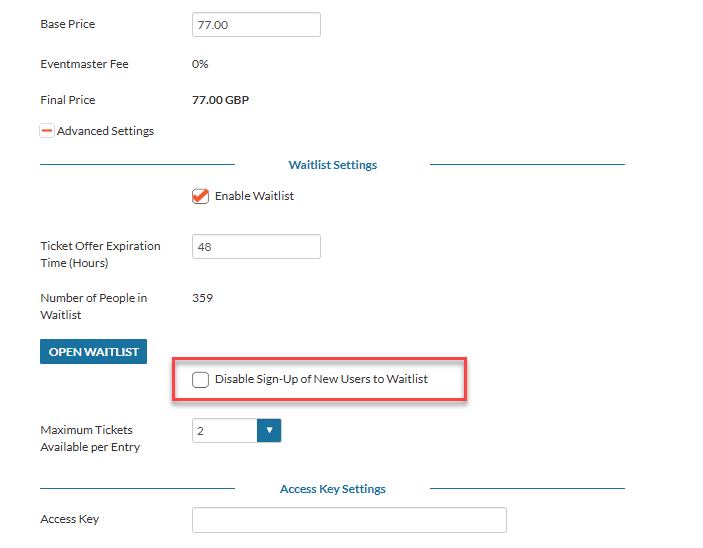
If you want to turn off the waitlist at any time, you can simply tick the Disable sign-up of new users to the Waitlist.
Multiple Ticket Types
Please note, the waitlist is configured on each ticket individually – if you would like the waitlist to be on multiple tickets, don’t forget to update this on each different ticket type and Save your changes.