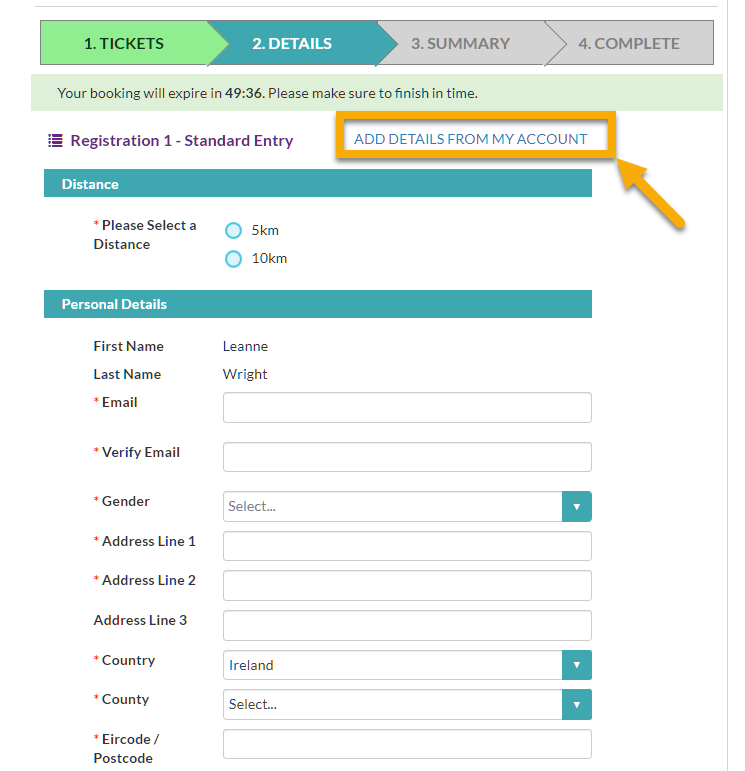
How to automatically fill in your details when booking tickets:
Now when filling in registration details, you can pull in your Eventmaster account information automatically using the “Add Details from my Account” feature.
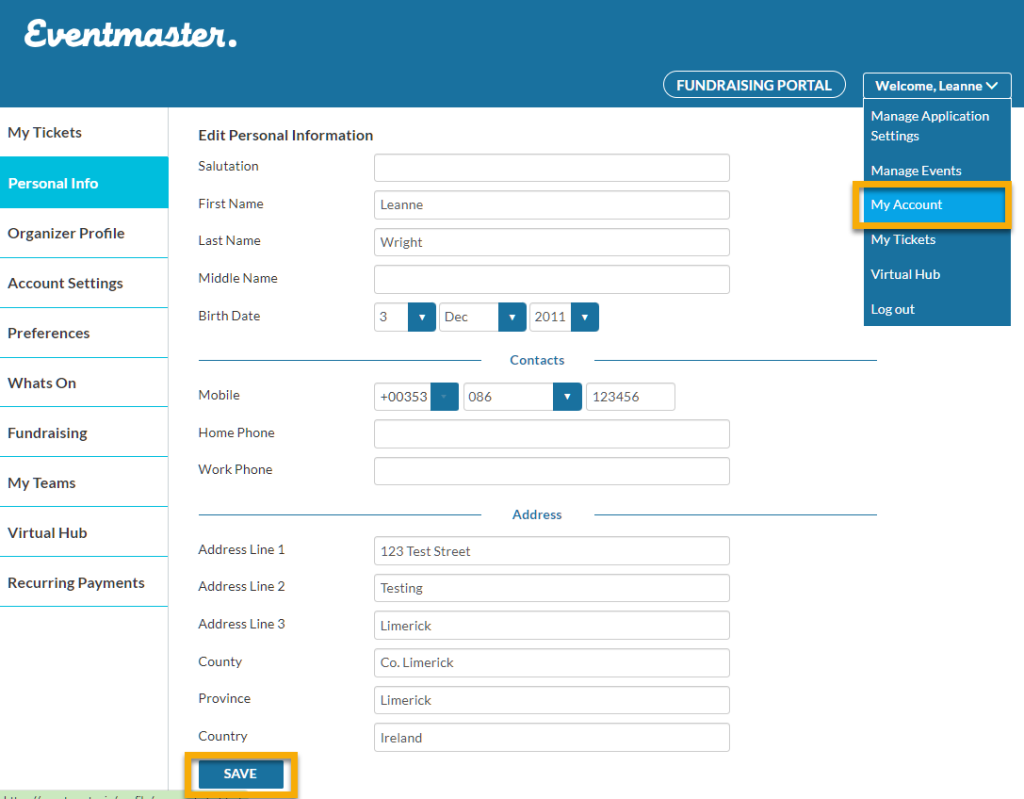
How to add details to your account:
Click on the Welcome dropdown menu and select My Account > Personal Info.
Fill in any information you would like to have on your profile
Click Save to store the changes.
Once saved this information will be available to pull into your future bookings.
WARNING: Changing details on your account will not pull through to any existing tickets as all information captured in the event specific order form is separate.
We use cookies on our website to give you the most relevant experience by remembering your preferences and repeat visits. By clicking “Accept”, you consent to the use of ALL the cookies.
This website uses cookies to improve your experience while you navigate through the website. Out of these, the cookies that are categorized as necessary are stored on your browser as they are essential for the working of basic functionalities of the website. We also use third-party cookies that help us analyze and understand how you use this website. These cookies will be stored in your browser only with your consent. You also have the option to opt-out of these cookies. But opting out of some of these cookies may affect your browsing experience.
Necessary cookies are absolutely essential for the website to function properly. This category only includes cookies that ensures basic functionalities and security features of the website. These cookies do not store any personal information.
Any cookies that may not be particularly necessary for the website to function and is used specifically to collect user personal data via analytics, ads, other embedded contents are termed as non-necessary cookies. It is mandatory to procure user consent prior to running these cookies on your website.